$ cat ~/blog/markdown-guide.md
Markdown writing guide
A writing reference showing the Markdown this site supports. It has no Japanese version, which demonstrates the language fallback.
Front matter#
Every file starts with YAML front matter:
---
title: Post title
date: 2026-11-14
summary: One-line summary shown in lists
tags: [python, notes]
draft: false   # set to true to keep it unpublished
---
Code#
Inline code: uv run uvicorn app.main:app --reload. Code blocks are highlighted and get a copy button:
from fastapi import FastAPI

app = FastAPI()


@app.get("/")
def hello() -> dict[str, str]:
    return {"message": "hello"}
Tables#
| Syntax | Purpose |
|---|---|
**bold** |
Emphasis |
[link](url) |
Hyperlink |
> quote |
Blockquote |
Quotes and footnotes#
Simple things should be simple.
Footnotes look like this1.
Images and video#
Put images and videos in the post's own folder and reference them by relative path. All language versions share the same files:
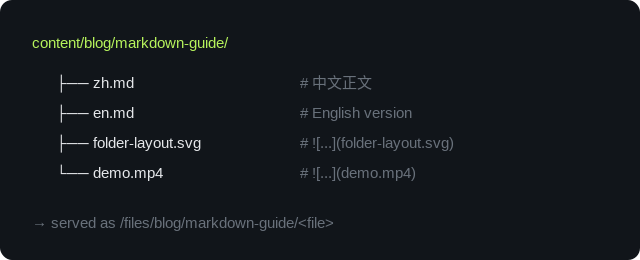
- Image:
. On its own line it becomes a figure with a caption - Video:
becomes a player with controls - Short clip:
plays muted on a loop, like a GIF - Width: append
{width=60%}or{width=400}(pixels), e.g.{width=60%}. Works for images and videos; default is full column width, centered when narrower - Formats: png / jpg / gif / webp / avif / svg, mp4 / webm / mov, pdf
Site-wide files (an avatar, say) go in content/media/ and are referenced as /media/filename.
-
This is a footnote. ↩